
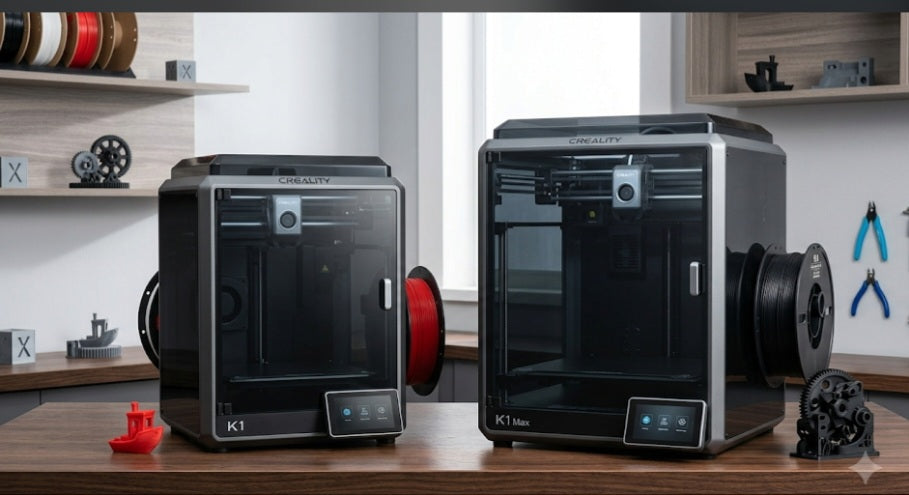
Build Volume and Performance
The most immediate difference is the scale. The Creality K1 features a 220 x 220 x 250mm build volume, which is the industry standard for most desktop 3D printing projects. The K1 Max offers a significantly larger 300 x 300 x 300mm build area, which is a major advantage for professionals or hobbyists who need to print large-scale prototypes, industrial housings, or complex props in one piece, avoiding the need to glue multiple segments together. Both machines share the same robust CoreXY architecture, enabling rapid print speeds of up to 600mm/s and 20,000mm/s² acceleration.
Advanced AI and Smart Features
Technology is another key area of separation. While both printers are "smart," the K1 Max comes out of the box with an integrated AI LiDAR scanner for precise first-layer inspection and flow calibration, as well as an AI-assisted camera for real-time monitoring and spaghetti detection. The standard K1 is a high-speed machine that focuses on the core printing experience; while it can be upgraded with a camera, the advanced LiDAR sensor is exclusive to the K1 Max.
Hardware and Construction
There are notable differences in internal hardware as well. The K1 Max is equipped with a powerful 1000W power supply, allowing the build plate to reach 60°C in just 90 seconds, whereas the K1 uses a 350W power supply. The K1 Max also comes standard with a hardened steel nozzle, which provides better durability when printing abrasive materials like carbon-fiber-infused filaments. Furthermore, the K1 Max includes a built-in air filtration system to help manage odors and particles during the printing process—a feature not included in the base K1 model.
Which One Should You Choose?
Choose the Creality K1 if: You are a hobbyist or maker looking for a space-saving, high-speed workhorse for standard-sized projects. It delivers the same impressive speed as its larger sibling in a compact footprint that fits perfectly on most desks.
Choose the Creality K1 Max if: You need professional-grade capacity. The extra build volume, integrated AI diagnostic tools, superior heating power, and built-in air filtration make it the better investment for scaling up production, printing large parts, and handling more demanding materials.
While both printers support Wi-Fi and USB, the K1 Max includes an Ethernet port, providing a more stable, wired network connection which is often preferred in professional workshop or office environments. Furthermore, the K1 Max’s higher-wattage power supply allows for potential future hardware expansions—like multi-filament systems—without overloading the internal electronics.
Air Quality Management
For those printing in home offices or shared living spaces, the K1 Max includes an integrated carbon air filtration system. This helps capture and neutralize the fumes and micro-particles generated when printing materials like ABS or ASA. While the K1 is also enclosed, it lacks this active filtration, making the Max a more "office-friendly" choice for users concerned about indoor air quality.
Structural and Mechanical Upgrades
The K1 Max features a more robust mechanical setup, including a 3-axis Z-motor configuration compared to the dual Z-axis setup on the K1. This provides superior bed stability and leveling precision, especially across the larger 300mm surface. Additionally, the K1 Max arrives with a hardened steel nozzle pre-installed, offering significantly better longevity when printing abrasive, high-strength materials (such as carbon-fiber-filled filaments) right out of the box, whereas the K1 typically requires a nozzle upgrade for these specialized tasks.


