
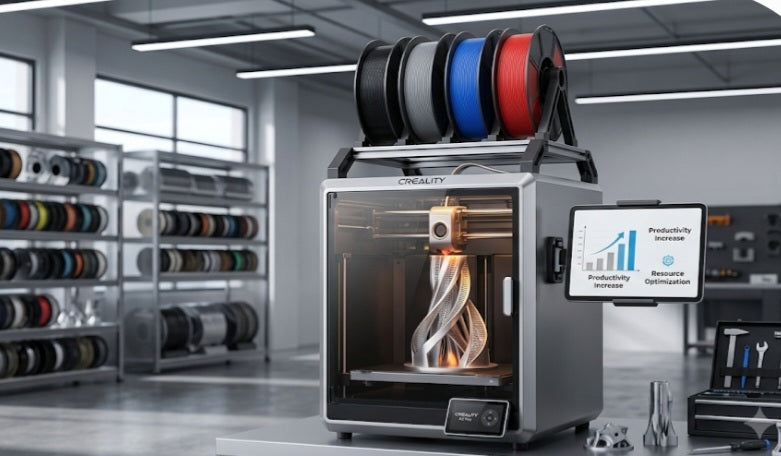
Scaling up a business—whether you’re running a small Etsy workshop or handling professional prototypes—means your equipment needs to do more than just "print." It needs to be reliable, efficient, and cost-effective over hundreds of hours.
If you're considering a Creality machine to help your business grow, you're likely looking for a balance between "plug-and-play" convenience and the heavy-duty performance required for consistent output. Here’s a breakdown to help you choose the right fit.
Why "Business-Ready" is Different
When you’re a hobbyist, a failed print is a minor annoyance. For a business, it’s a loss of billable time and material. When choosing a printer for commercial use, look beyond the sticker price and focus on these business-critical factors:
Workflow Integration: Can the printer handle your volume? Features like auto-leveling and AI monitoring aren't just "nice-to-haves"—they reduce the labor cost of hovering over a machine.
Total Cost of Ownership: Don’t just look at the upfront price. Factor in material costs, maintenance frequency, and the "time-to-print" for your typical orders.
Reliability & Scalability: If you plan to scale, you need a machine that can be serviced easily and potentially run in a multi-printer setup.
Top Creality Picks for Business
Based on current performance and business application, here are the standout choices:
If your business demands large-format prints, multicolor output, or high-speed production, this is the current gold standard in the Creality lineup.
Best For: Professional prototyping, large cosplay props, or batch production of custom parts.
Why it works: Its massive 350mm build volume allows for "one-shot" molding of large items, which saves time on assembly. The integration of the Creality Filament System (CFS) enables up to 16-color printing, perfect for high-end decorative or detailed models.
Business Edge: It’s built with an actively heated chamber and hardened steel nozzles, allowing for a wide range of engineering-grade materials that hobbyist machines often struggle with.
The Value & Efficiency Pick: Creality K2
For businesses that don't need the massive 350mm footprint but still want the "smart" features and multicolor efficiency, the standard K2 is a powerful, more affordable option.
Best For: Small shops, Etsy sellers, and businesses focused on detailed, vibrant functional parts.
Why it works: It offers the same core speed and CFS technology as the Plus model but in a more compact, cost-effective package.
Business Edge: If your workspace is limited, the K2’s smaller physical footprint allows you to fit more units into a single workshop, making it easier to scale your print farm as orders increase.
Choosing Your Path
Not every business needs the same setup. Ask yourself:
Do I need size or speed? If you’re printing helmets, masks, or large jigs, the K2 Plus is worth the investment.
Is space at a premium? If you are running a multi-printer setup for smaller, custom items, the K2 provides better ROI by keeping your startup costs lower.
Remember, the "best" printer is the one that minimizes your manual intervention while maximizing your output quality. Before you buy, consider testing a sample print or checking if your local supplier offers support packages—in a business setting, that technical backup can be worth its weight in gold.
Choosing the right 3D printer is a major step in scaling your business operations. Whether you opt for the industrial capacity of the K2 Plus or the efficient, space-saving design of the K2, the goal remains the same: reliability and consistent output. Evaluate your current project needs and available workspace today to make an investment that pays off in the long run. If you need help deciding which machine fits your specific business model, don't hesitate to reach out to our team for a consultation.


