
Why Do My 3D Prints Keep Failing? Troubleshooting Your Way to Success
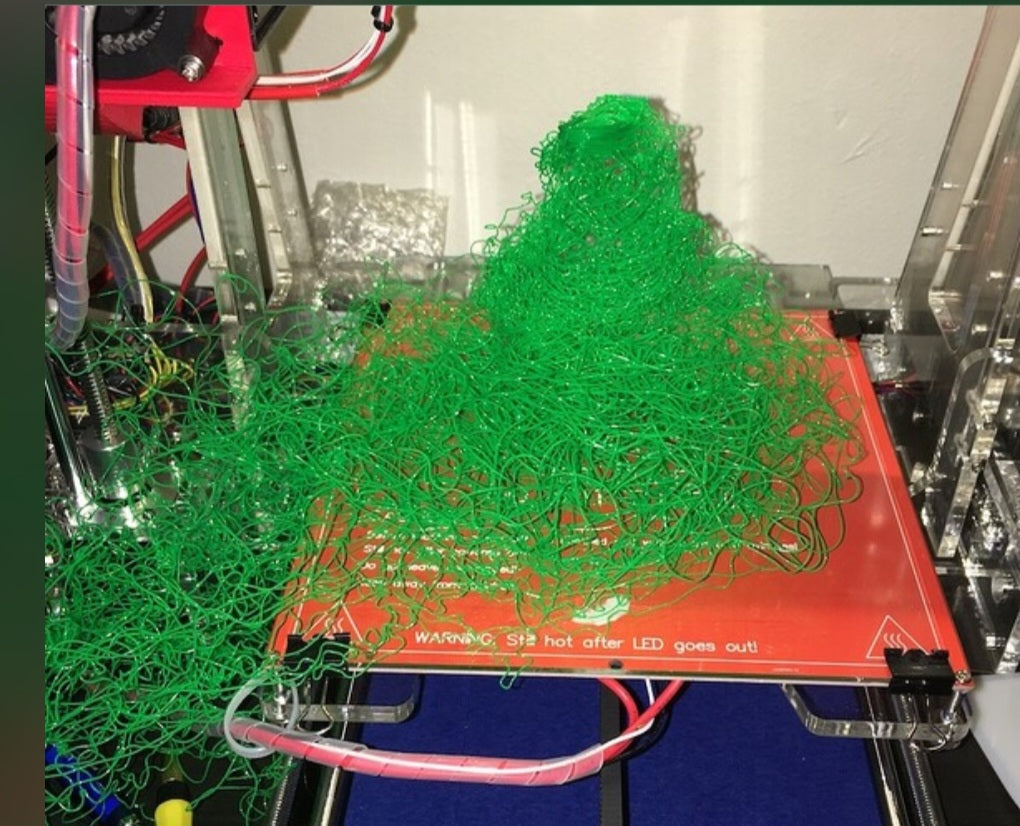
There’s nothing more frustrating than coming back to your 3D printer after a few hours of waiting, only to find a tangled mess of plastic or a print that’s popped off the bed halfway through. If you’ve felt that pang of disappointment, you’re definitely not alone—it’s a rite of passage for every maker. The good news is that most failures aren’t random bad luck; they’re usually just your printer trying to tell you that something needs a quick tweak.
First Things First: The Bed Adhesion Basics
If your print fails early on, it’s almost always a bed adhesion issue. If the first layer doesn’t stick, the rest of the print doesn't stand a chance.
Check Your Leveling: A bed that isn’t perfectly leveled is the most common culprit. If the nozzle is too far from the bed, the plastic won’t squish down; if it’s too close, it will scrape or block the flow.
Keep It Clean: Fingerprints and oil from your hands can ruin adhesion. Give your print surface a regular wipe down with some isopropyl alcohol to keep it tacky and clean.
Adjust Your Temp: Sometimes, a slightly higher bed temperature for the first few layers can make a world of difference in getting that base to hold firm.
Extrusion and Filament Issues
If your print looks stringy, has holes, or just stops extruding mid-way, look at your hotend and filament path.
Look for Clogs: A partial clog in your nozzle can cause inconsistent flow. Doing a "cold pull" to clear out debris is a great maintenance habit to get into.
Check Your Filament: Is your filament tangled on the spool? That physical resistance can cause the extruder to skip and lead to under-extrusion.
Manage Your Moisture: If you're printing materials like PETG or Nylon, they love to soak up moisture from the air. If your prints look bubbly or brittle, your filament might need a good dry out.
Don't Let Settings Sabotage You
Cooling Control: While cooling is important for detail, too much cooling too early can cause warping, especially with materials like ABS.
Speed Matters: If you’re pushing for super-fast print speeds, your printer might be struggling to keep up, leading to skipped steps or layer shifts. Try slowing it down for a test print to see if quality improves.
Remember, every failed print is just a lesson in disguise. By taking it one step at a time and checking these common areas, you’ll be back to producing perfect prints in no time. Stick with it—you'll get the hang of it!


