
The Ultimate Guide to PLA Printing Temperatures
Finding the right temperature for PLA is the foundation of 3D printing success. While PLA is known as the "easy" material, dialing in your heat settings will take your prints from "good" to "professional-grade."
How to Find Your Ideal Settings
Run a Temperature Tower: Because every printer’s hotend and every brand of filament varies, perform a "temperature tower" calibration test. This allows you to observe how your printer handles different heats, helping you identify the exact temperature where stringing is minimized and layer adhesion is strongest.
Speed Matters: If you are pushing your printer to high speeds (above 100 mm/s), increase your nozzle temperature by 5–10°C. Faster extrusion means the filament has less time in the melt zone, so it needs a bit more heat to reach the correct consistency.
Mind the Finish: If you are using Silk or Matte PLA, these specialty filaments often require higher temperatures (up to 230°C) to bring out their unique surface properties and prevent clogging.
Troubleshooting Your Heat
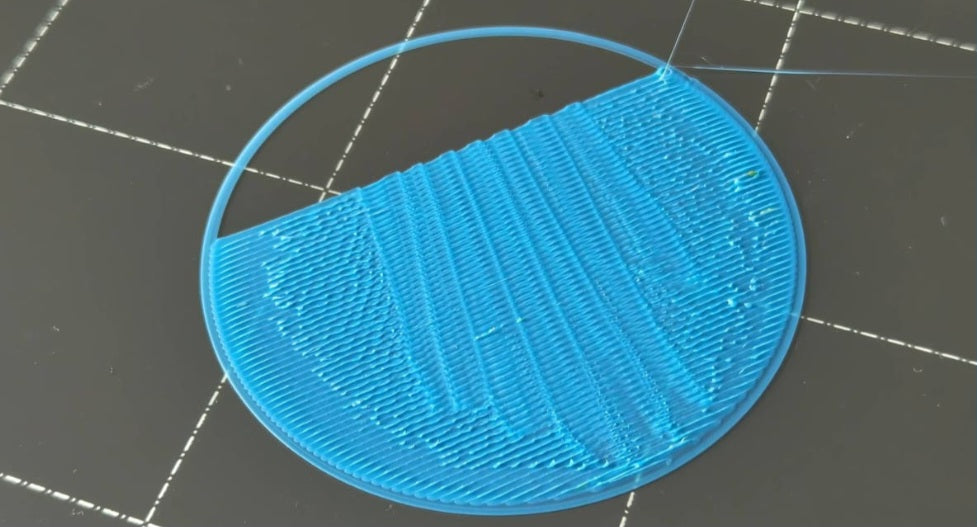
Signs of Overheating: If your prints have excessive stringing, "blobs," or sagging bridges, try lowering your nozzle temperature in 5°C increments.
Signs of Underheating: If your parts are weak and snap easily, or you notice clicking sounds from your extruder (indicating a clog), your temperature is likely too low to maintain steady flow.
The Importance of Ambient Conditions
Remember that your printer doesn’t exist in a vacuum; the environment around it plays a significant role in how it handles temperature. If your printer is located in a cold room, near a drafty window, or directly in the path of an air conditioner, the plastic may cool too quickly, leading to warping or layer separation—even if your nozzle settings are technically correct. Conversely, printing in a very hot or humid environment can make it difficult for your cooling fan to do its job, resulting in saggy overhangs. For the most consistent results, try to keep your printer in a stable, temperate area away from active airflow, and you’ll find that your "sweet spot" temperatures become much more reliable across different prints.


