
Why Is My Filament Breaking? (And How to Fix It)
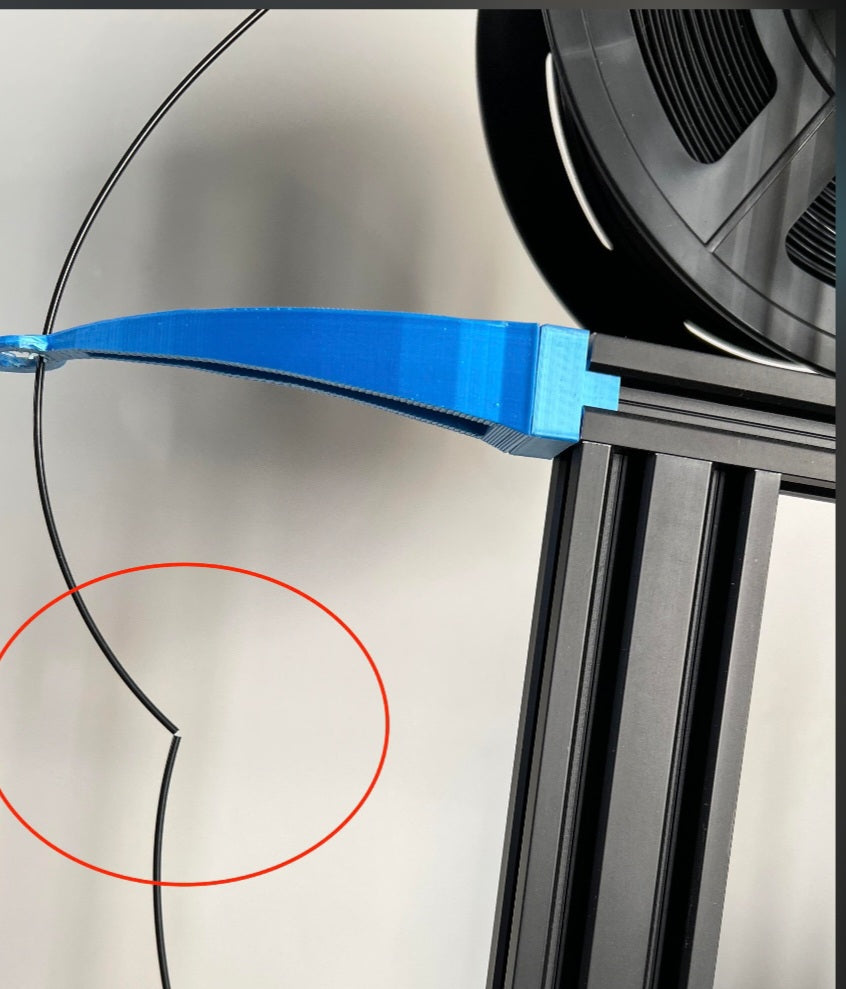
If you’ve ever walked into your print room to find your filament snapped mid-spool or during a long print, you know how frustrating it is. While it feels like a hardware failure, it is usually caused by environmental factors or storage habits.
The #1 Culprit: Moisture (Hydrolysis)
Most 3D printing filaments, especially PLA, are hygroscopic, meaning they act like a sponge for moisture in the air. When water molecules penetrate the filament, they break down the polymer chains—a process called hydrolysis. Over time, this makes the plastic brittle.
The Signs: If you hear popping or sizzling sounds during your print, or if your filament snaps like a dry twig when you bend it, it has absorbed too much moisture.
The Fix: Store your filament in an airtight container or a vacuum-sealed bag with desiccant packets. If it’s already brittle, you can "revive" it using a filament dryer or a food dehydrator (usually at 45°C for 4–6 hours).
Mechanical Stress and "The Bend"
Filament is stored in a tight coil on the spool. When your printer pulls it through the extruder, that plastic is being forced to straighten out.
The Problem: If your printer has a tight, sharp angle in the filament path, or if you leave the filament loaded in the printer for weeks, you are putting the material under constant mechanical stress. Eventually, it will fail at the point of highest tension.
The Fix: Check your filament path. Ensure the feed is smooth and doesn’t have sharp 90-degree turns. If you aren't planning to print for a few days, unload your filament and tuck the end into the storage holes on the side of the spool.
Aging and Quality
Even if you store it perfectly, filament does have a shelf life. Over time, plasticizers that keep the material flexible can migrate out of the polymer matrix, leaving the filament brittle.
The Problem: Cheap, "off-brand" filaments often have more impurities or inconsistent diameters, which create weak spots in the strand.
The Fix: If you’ve ruled out moisture and tension, your spool might simply be degraded or poorly manufactured. When in doubt, try a fresh, high-quality roll to see if the problem persists.
The Impact of Pigments and Additives
It is also worth noting that the color and material composition of your filament play a role in its brittleness. Highly pigmented filaments, especially those with glitter, "silk" additives, or glow-in-the-dark particles, are inherently more fragile than standard matte or clear options. The particles mixed into the plastic disrupt the polymer chain, acting as stress concentrators that make the strand more prone to snapping under tension.
Best Practices for Specialty Filaments
If you notice that your white or natural-colored PLA is fine, but your metallic or specialty-colored spools are constantly snapping, it’s not necessarily a storage error—it is likely just the nature of that specific material blend. When working with these types, try to keep the feed path as straight as possible and avoid leaving them loaded in the printer when not in use to prevent unnecessary fatigue.


