
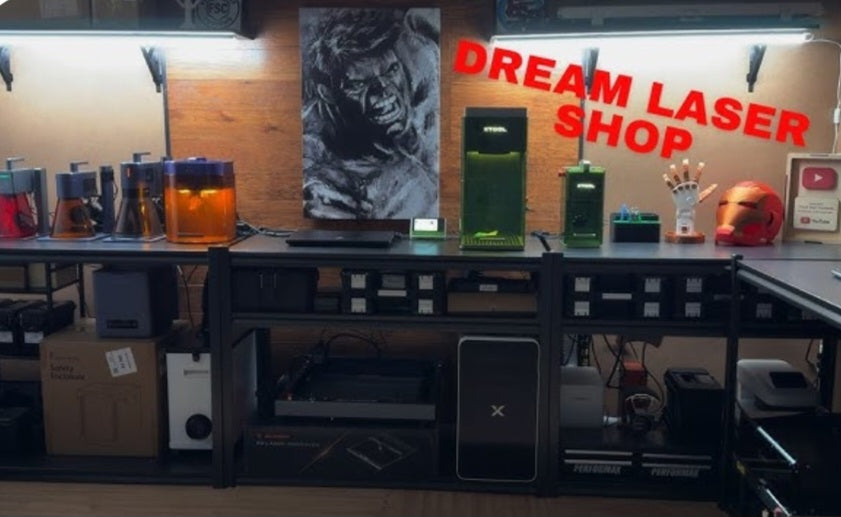
Launching a custom fabrication or personalization business is an exciting venture, and choosing your first laser engraver is one of the most important investments you will make.
Whether you plan to engrave custom leather wallets, cut intricate acrylic signage, or personalize wooden keepsakes, the right machine can streamline your workflow and maximize your profit margins.
However, with so many options ranging from desktop hobby machines to industrial powerhouses, it can be overwhelming to know which one fits a commercial startup budget and workload.
Let's look at what you need to consider and the top laser engraver categories for starting a small business.
What to Look for in a Startup Business Laser
When buying a laser for commercial use rather than pure hobby crafting, your priorities shift toward reliability, speed, work area size, and safety features.
Reliable Work Area:
A larger bed size (such as 400x400mm or larger) allows you to batch-process multiple items at once, which is essential for efficient production.
Power and Material Versatility:
Entry-level diode lasers are fantastic for wood and leather engraving, while CO2 lasers are required if you intend to cleanly cut thicker clear acrylics.
Enclosure and Safety:
For a home-based or retail workspace, a fully enclosed laser with a filtered exhaust system protects your eyes and manages harmful fumes.
Software Compatibility:
Ensure the machine works smoothly with industry-standard software like LightBurn, which gives you precise control over speeds, power layers, and alignment.
Top Laser Categories for Small Businesses
High-Power Diode Lasers (Best for Budget-Conscious Startups)
Diode lasers have advanced dramatically, with modules ranging from 10W optical output all the way up to 40W+ beast setups.
Best For:
Engraving wood, slate, leather, dark acrylic, and coated metals; light cutting of thin plywood (under 6mm).
Why It Fits a Business:
They have a lower initial investment cost, making them ideal for testing a product line without breaking the bank. Brands like XTool, Ortur, and Atomstack offer great modular frames.
Desktop CO2 Lasers (Best for Professional Acrylic & Detailed Cutting)
CO2 glass tube lasers (such as K40 upgrades or enclosed systems like the xTool P2 or Glowforge) use a different wavelength that is absorbed by transparent materials.
Best For:
Cutting clear and colored acrylics cleanly, deep wood engraving, and high-speed production.
Why It Fits a Business:
If your business relies heavily on acrylic nightlights, signage, or precise edge-finished products, a CO2 laser is a worthwhile step up.
Making Your Final Decision
To choose the best machine for your specific startup goals, ask yourself three questions:
What materials will I sell most? If you are focusing on wood and leather goods, a high-power diode is plenty. If you need clear acrylics, lean toward CO2.
What is my upfront budget? Keep some capital reserved for ventilation fans, honeycomb beds, safety glasses, and initial raw material stock.
How much space do I have? Ensure your workspace can safely accommodate the machine footprint and proper exhaust ducting to the outdoors.
By matching the right laser to your business plan, you will set yourself up for efficient production and happy customers from day one.


