
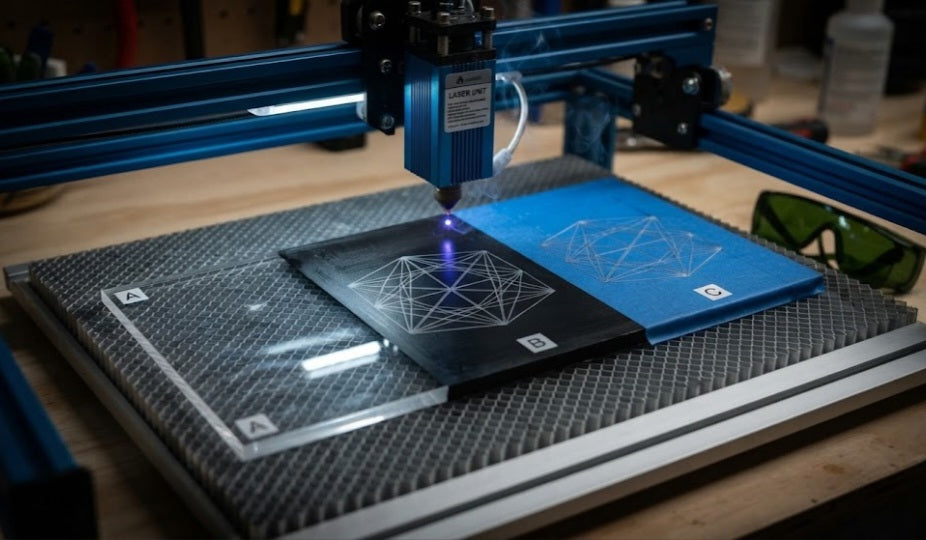
One of the most frequent hurdles makers face when expanding their workshop capabilities is working with transparent plastics. If you own a standard blue diode laser (typically operating around a 450nm wavelength), you might have tried to cut or engrave clear acrylic, only to watch the beam pass right through the material as if it wasn't even there.
To understand why this happens and how you can still achieve results, let's look at the science and test out the practical workarounds.
The Physics Problem: Why Blue Light Passes Through Clear Acrylic
Standard diode lasers emit visible blue light. Clear acrylic is specifically engineered to transmit visible light with high optical clarity. Because the 450nm wavelength is not absorbed by transparent material, the laser beam simply refracts and passes straight through it.
Instead of generating heat to vaporize the plastic, the energy is wasted. Worse yet, the beam can reflect off your metal honeycomb bed or baseplate underneath, bouncing back up and potentially damaging the underside of your laser module or your eyes.
Practical Workarounds: How to Cheat the Test
Since you cannot natively engrave clear acrylic with a diode laser, makers rely on surface modification tricks to trap the laser's energy:
The Black Paper or Cardboard Trick:
Placing a piece of black construction paper directly underneath or on top of the clear acrylic forces the laser to burn the dark paper. The resulting intense heat transfers upward, lightly etching the bottom surface of the acrylic.
Water-Soluble Tempera Paint or Markers:
Coating the acrylic in a thin layer of dark, opaque paint or using a black permanent marker creates an absorbing layer. The laser vaporizes the paint, leaving a frosted, permanent etch on the acrylic underneath. Once finished, you simply wash the remaining paint off with water.
Applying Transfer Tape or Masking:
Standard blue painter's tape or specialized opaque laser masking applied to the surface allows the laser to bite into the tape, slightly marking the acrylic face.
Deep-Dive: Understanding Laser Beam Absorption Dynamics
To truly master working with transparent mediums, it helps to understand how photon energy interacts with different molecular structures. Unlike CO2 lasers (which operate at a 10,600nm wavelength and can cut and engrave clear acrylic because that specific infrared wavelength is absorbed by acrylic), semiconductor blue diode lasers sit in the visible spectrum.
Because visible light is transmitted rather than absorbed by clear polymers, the photons lack the thermal conversion mechanism necessary to induce phase changes in the material. This fundamental optical limitation means that no matter how much you tweak your power settings or slow down your feed rates on a raw piece of clear acrylic, the beam will remain entirely ineffective without an external catalyst.
Safety Implications and Workshop Best Practices
Attempting to process clear acrylic without understanding reflection risks can introduce serious hazards into your workspace. When a blue diode beam passes completely through transparent sheets, it strikes whatever lies beneath the work bed. Aluminum honeycomb panels, steel plates, or anodized machine frames can act as reflective mirrors for 450nm light, scattering stray beams unpredictably around the room.
Always ensure your enclosure blocks scattered light, wear your certified safety goggles consistently, and consider placing a sacrificial matte black aluminum or ceramic backing plate under your workpiece to absorb stray photons safely if you are experimenting with coated clear substrates.
Directly engraving clear acrylic with a blue diode laser is impossible without external assistance due to the light-passing properties of the plastic. However, by using simple surface-absorption techniques like black paper backing or temporary dark coatings, you can successfully bypass this limitation and achieve clean, frosted results on your transparent projects.


