
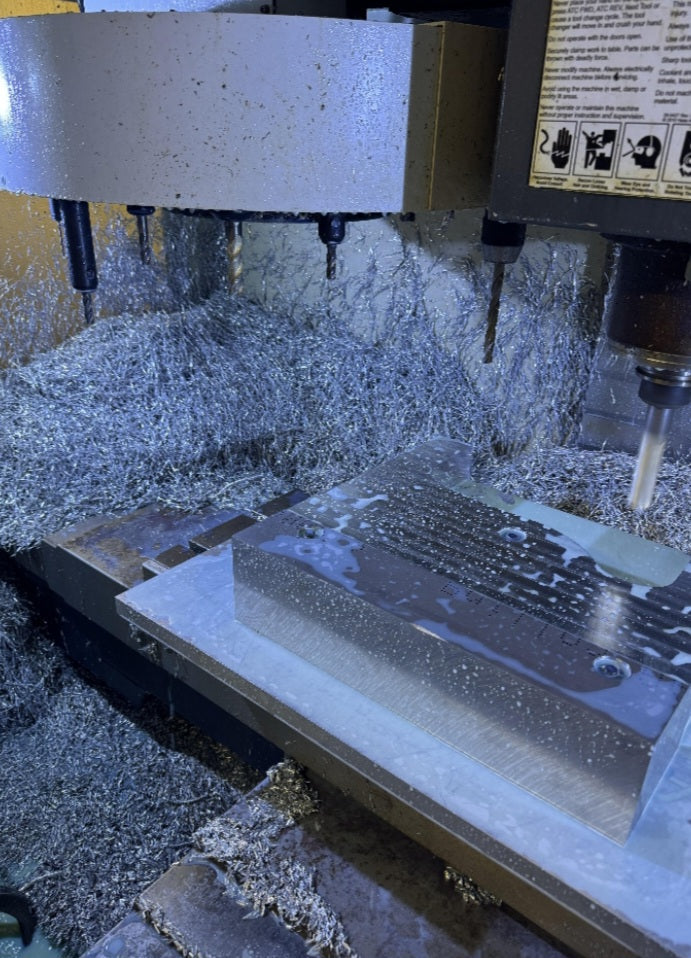
The Truth About Small-Footprint Metal Machining
You stare at the sleek aluminum brackets, enclosures, and custom parts online, wondering if the compact desktop CNC router sitting on your workbench could pull off the same feat. After all, the marketing pictures show glowing carbide bits carving through metal like butter, and the spindle sounds powerful enough.
Can a desktop CNC router actually cut aluminum?
The short answer is yes—absolutely. But the realistic answer comes with a massive asterisk. While almost any hobby-grade or desktop CNC can physically machine aluminum under the right conditions, doing it successfully without destroying your bits, breaking your machine, or getting a finish that looks like a beaver chewed on it requires a completely different approach than cutting wood or acrylic.
Let's break down the physical hurdles, the necessary upgrades, and the exact settings you need to master aluminum milling on a desktop CNC.
The Myth of Rigidity:
Why Aluminum Demands More
The single biggest enemy of milling aluminum on a desktop machine is flex.
Traditional industrial CNC mills weigh thousands of pounds and are built from thick cast iron or solid steel to absorb violent cutting forces. Desktop routers, by contrast, are often built from extruded aluminum profiles, lightweight plastic plates, or MDF.
The Problem:
When an end mill bites into aluminum, it doesn't shave it away softly; it violently rips micro-chips of metal off the stock. If your machine frame flexes even a fraction of a millimeter under that side-load, your bit will chatter, push away from the material, or grab and snap instantly.
The Solution:
You cannot force a desktop machine through aluminum. You need to maximize your machine's physical rigidity by tightening every fastener, ensuring your spoilboard is dead flat, and keeping your overhangs as short as possible.
Spindle Speeds:
The Counterintuitive Rule of Metal
When working with wood or plastics, your instinct is to crank your router's RPM as high as it will go for a clean cut. In aluminum, doing this is a recipe for disaster.
The Problem:
High spindle speeds paired with slow feed rates cause the cutting edge to rub against the metal instead of slicing it. This friction generates massive localized heat. Aluminum has a low melting point; the moment it gets too hot, it melts, smears, welds itself to the flutes of your bit, and instantly packs your kerf solid. Once a bit clogs with melted aluminum, it snaps on the next pass.
The Solution:
Slow your RPM right down (often between 10,000 to 18,000\text{ RPM} depending on your bit size) and keep your feed rates moving so the tool takes a proper, cooling bite of material with every rotation.
Choosing the Right End Mill (Forget Multi-Flute Bits)
You might think a 4-flute or 2-flute standard end mill will speed things up, but geometry matters immensely when cutting non-ferrous metals.
The Problem:
Aluminum chips are bulky and need plenty of room to escape the cut zone. If you use a bit with too many flutes, the chips get trapped in the tight flutes, causing immediate clogging and breakage.
The Solution:
Use single-flute carbide end mills (often spiral up-cut bits designed specifically for aluminum). A single flute gives the massive chips plenty of room to evacuate cleanly, keeps heat generation low, and allows the machine to clear debris before the next rotation.
Chip Evacuation and Lubrication:
Keeping It Cool
Because desktop machines don't have built-in flood coolant pumps like industrial machining centers, you have to manage heat and chip clearance manually.
The Problem:
If your tool recuts its own chips, it generates excess friction, ruins your surface finish, and overheats the carbide tip.
The Solution:
Never cut dry aluminum if you can avoid it. A light mist of WD-40, Isopropyl alcohol (applied sparingly via a spray bottle), or air blast keeps the cut lubricated, cools the metal instantly, and blasts chips out of the groove so your bit stays clean. (Note: Avoid heavy oils that trap dust, and ensure plastics aren't present if using certain solvents).
Feeds and Speeds:
Shallow Passes Win the Race
You cannot take deep, aggressive hogging passes in aluminum on a desktop router.
The Pro Strategy:
Program your CAM software to take very shallow depth-of-cut passes (e.g., 0.2\text{ mm} to 0.5\text{ mm} per pass) combined with high-speed, dynamic adaptive clearing toolpaths. This keeps the cutting forces low, prevents machine chatter, and ensures your desktop router punches well above its weight class.
Cutting aluminum on a desktop CNC router isn't plug-and-play, but it is entirely achievable. By dropping your RPMs, switching to single-flute carbide bits, utilizing shallow passes, providing chip clearance, and respecting the structural limits of your machine, you can turn your desktop hobbyist router into a precision metal-fabrication powerhouse.


