
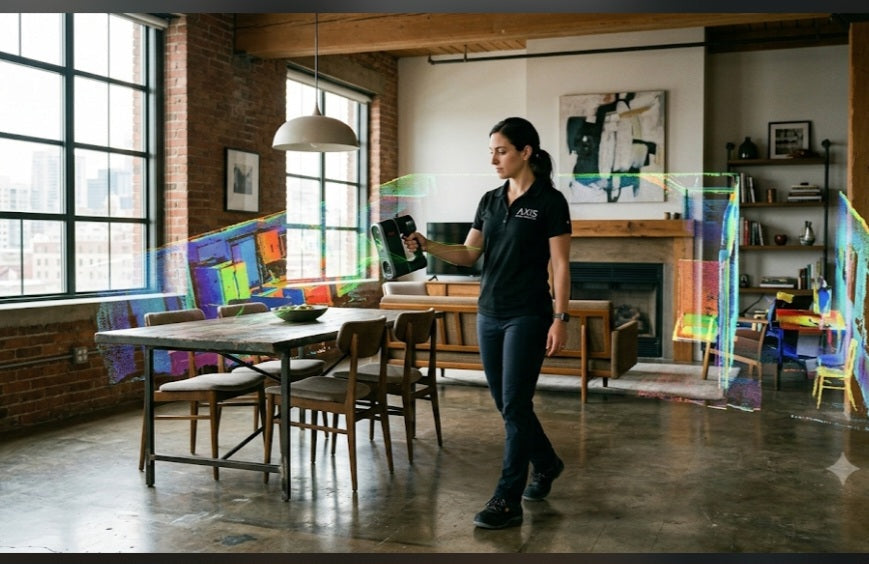
Mapping Your Space in 3D
Yes, you can 3D scan rooms, and it’s become one of the most accessible ways to digitize real estate, interior design, and architecture. Unlike scanning a small object on a desk, scanning a room involves capturing the spatial geometry, furniture, and structural layout to create a "digital twin." Depending on your needs—whether it’s a quick floor plan for a home renovation or a professional-grade survey—the tools range from simple smartphone apps to high-end LiDAR laser scanners.
How Room Scanning Works
Scanning a room is essentially about creating a continuous 3D map. Most modern room-scanning technologies rely on Time-of-Flight (ToF) or LiDAR sensors, which measure how long it takes for light to bounce off surfaces to calculate exact distances.
Smartphone & Tablet Apps: Today, devices equipped with LiDAR (like newer iPhones or iPads) can capture impressive 3D room data using free or low-cost apps. You simply walk through the space, "painting" the walls and floors with your camera, and the software stitches the frames together into a 3D model.
Professional Laser Scanners: For construction-grade accuracy, professionals use stationary scanners like the Leica BLK360 or Matterport Pro3. These devices sit on a tripod, rotate 360 degrees, and capture millions of precise data points, ensuring that every corner, door frame, and ceiling height is measured to the millimeter.
Why Scan a Room?
Digitizing a room changes the workflow for everything from DIY projects to commercial construction:
Instant Floor Plans: Instead of spending hours with a tape measure, a quick scan can generate a dimensionally accurate floor plan in minutes, ready to export into CAD or design software like SketchUp or Revit.
Virtual Staging & Tours: In real estate, scanning allows you to create immersive 360-degree virtual tours. Once digitized, you can "virtually stage" empty rooms by adding 3D furniture models, helping buyers visualize the potential of a space.
Clash Detection: For contractors, having a digital twin means you can "test fit" new designs. If you’re planning a kitchen renovation, you can overlay your new cabinet models onto the scan to ensure everything fits perfectly before you ever order a single piece of lumber.
Preservation: Scanning is an unobtrusive way to document historic or fragile interiors, creating a permanent, shareable record of a space that might otherwise be difficult to measure or revisit.
Getting the Best Results
To get a high-quality, "clean" scan of your room, keep these three tips in mind:
- Mind the Reflections: Just like with small objects, mirrors and highly polished surfaces (like black glass or metallic finishes) can confuse scanners. Cover large mirrors or be aware that they may create "holes" in your data
2. Control the Light: Even lighting is best. Avoid harsh, direct sunlight from windows, which can cause uneven depth readings. A bright, overcast day or consistent indoor overhead lighting usually produces the most stable, accurate models.
3. Move Slowly: Whether handheld or on a tripod, giving the scanner enough time to "see" the depth of the room is key. If moving handheld, walk smoothly and avoid sudden shakes or quick pans, which can cause the software to lose its alignment.
"Beyond active design, creating a 3D scan provides a permanent, high-fidelity archive of your home's hidden infrastructure. By capturing the precise location of electrical conduits, plumbing lines, and structural studs behind your finished walls, you create a 'digital x-ray' of your property. This asset becomes invaluable years down the line, as it allows you to drill into walls or undertake future repairs with the absolute certainty of knowing exactly what lies beneath the surface, effectively future-proofing your home against costly guesswork."


