
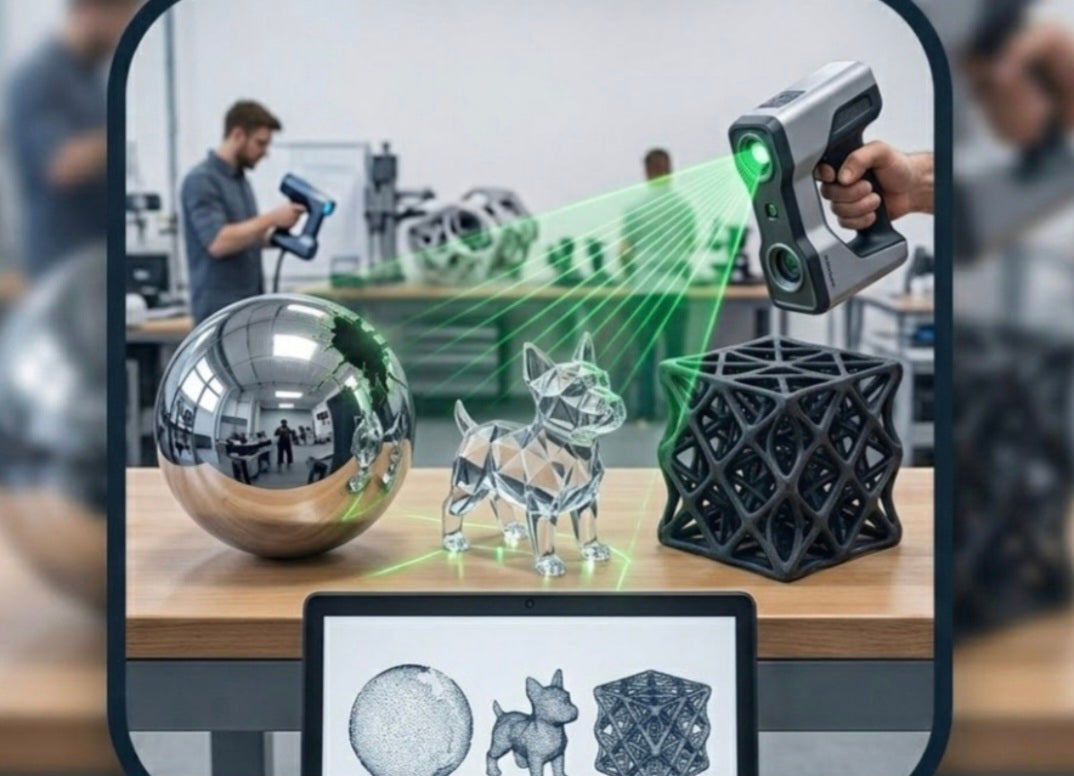
When hosting a live 3D scanning or reverse engineering demonstration in a fabrication studio, showing off a matte grey, textured plastic enclosure is easy. The structured light or laser lines stick instantly, the point cloud populates cleanly, and the software builds a watertight mesh in seconds.
However, prospective clients rarely bring easy parts to a demonstration. They bring real-world engineering headaches: polished chrome automotive bumpers, deep black rubber gaskets, and translucent electronic housings.
If you want to prove the true capability of your handheld 3D scanner during a live demonstration, you must master how to tackle these three notorious surface challenges.
Highly Reflective and Mirror-Polished Metal Surfaces
The Problem
Whether it is chrome-plated trim, polished stainless steel, or raw machined aluminum, highly reflective surfaces act like mirrors to a 3D scanner. Instead of diffusing the structured light or laser lines back into the camera sensors, the shiny metal bounces the light away at erratic angles. The software receives zero returning signal, resulting in massive, frustrating black holes across your scan data.
The Pro Solution
Adjust Laser Power and Exposure: Increase camera sensor exposure and laser power specifically for metallic passes, allowing the sensor to capture subtle reflections.
Use Sublimating Anti-Glare Spray:
Apply a micro-thin layer of professional, self-evaporating anti-glare spray. This creates a temporary matte white coating that scatters the light perfectly and evaporates completely within a few hours without leaving any chemical residue or harming sensitive metal finishes.
Deep Black and Highly Absorbent Materials
The Problem
Matte black plastics, dark carbon fiber, and deep black rubber components absorb light rather than reflecting it. During a live scan, the scanner's projected blue or infrared light sinks into the dark pigment, starving the optical sensors of photons. The software struggles to lock onto tracking points, causing frequent tracking loss and jagged, noisy point clouds.
The Pro Solution
Increase Shutter Speed and Frame Rate:
Switch your scanner software into a specialized "Dark Material" or high-sensitivity scanning mode, which boosts internal sensor gain to capture low-intensity light returns.
Targeted Contrast Enhancement:
If spraying the entire part isn't an option due to client constraints, strategically place small, removable retro-reflective tracking dots around the part perimeter to maintain rigid optical tracking while letting the high-gain mode capture the black geometry.
Transparent, Translucent, and High-Gloss Plastic Casings
The Problem
Clear acrylic watch covers, translucent medical tubing, and glossy colored plastic bottles are total nightmares for optical scanners. Light passes straight through transparent walls or refracts unpredictably inside the material, confusing the camera sensors as they try to determine whether the surface is on the front wall, inside the cavity, or on the background behind the object.
The Pro Solution
The Talcum or Dry Shampoo Trick:
In a pinch during a workshop demo, a light dusting of unscented aerosol dry shampoo or fine talcum powder creates an opaque temporary surface layer that captures exact exterior geometry.
Post-Processing Surface ID:
In your metrology software, utilize advanced ray-casting filters to isolate front-surface reflections and reject internal refraction noise before building your final polygonal mesh.
Conquering difficult surfaces during a live demonstration separates amateur operators from professional metrology bureaus. By understanding how to manage reflection, light absorption, and transparency using anti-glare sprays, custom exposure profiles, and strategic tracking dots, you prove to your clients that your studio can reverse engineer virtually any physical part on earth.


